
Pricing Plans for Your Business Needs
Choose the pricing plan that meets your business needs. Explore WebWork Time Tracking software pricing to get the best value.
3.99
per user/monthProfessional time tracking for growing teams and remote workers
Unlimited time tracking
Unlimited projects and tasks
Unlimited projects
Create unlimited projects for every team, client, and workflow.

Unlimited members and teams
Unlimited members and teams
Add unlimited members and create as many teams as needed.
Timesheets
Real-time monitoring

Productivity metrics
Productivity metrics
Measure productivity using tracked time, activity levels, and app/website usage.

Screenshot modes

App and website usage
App & website usage
Understand how time is spent online with detailed app and website usage reporting.
Learn more
Activity level tracking
Activity level tracking
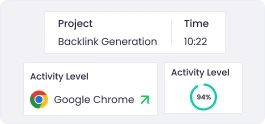
See keyboard and mouse activity levels during tracked work sessions.
Learn more
Attendance monitoring
Attendance monitoring
Track presence, absence, and working hours based on time tracking data.
Learn more
WebWork AI assistant
WebWork AI assistant
Your AI co-pilot that understands team activity, highlights problems, and provides actionable insights in seconds.

Silent tracker
Background/silent tracker
Run tracking silently on company-owned devices without member interaction.
Break tracking

Leave and holidays
Leave and holidays
Manage leave requests, approvals, and balances efficiently. Set company and public holidays for accurate attendance tracking.
10+ exportable reports

Create and share invoices
Create and share invoices
Generate professional invoices in seconds and share them with clients.
Learn more
Chat

Geolocation tracking (on mobile)
Geolocation tracking
See approximate member location while tracking to verify remote and field work.
Learn more1 Integration
Integration
Activate one integration from the list at a time and streamline your workflow effortlessly.
6.39
per user/monthComplete business management with payroll and advanced analytics
Everything in Pro
Timesheet approvals
Advanced app and website report
Advanced app & website monitoring
Monitor which apps and websites members use and for how long with additional details such as URL and window title.

Video meetings

Payroll

Payable invoices
Payable invoices
Send invoices your clients can pay directly with a pay button inside the invoice.
Send payment
Send payment
Pay your team directly from WebWork through integrated global payment partners.

Project budgeting
Project budgeting
Set project budgets, track spending, and prevent overruns before they happen.
Learn more
Expense tracking
Expense tracking
Record and track expenses alongside time for complete project cost visibility.
Learn more
Shift scheduling

Video/live screenshots
Video/live screenshots
Capture short video-style snippets instead of static screenshots to show brief moments of member activity.

Schedule and share reports
Schedule and share reports
Automate recurring reports delivered straight to your inbox on your schedule. Easily share reports with people outside your workspace—no login required.
Benchmarking
Benchmarking
Compare productivity across teams or against internal/external baselines.

Leaderboards
Leaderboards
Rank team members by performance, hours, or activity metrics.

All integrations
All integrations
Enjoy unlimited active integrations from the full list, giving you complete flexibility.
Unlimited chat and file history
Unlimited chat and file history
Keep complete chat and file records accessible with no limits.
Advanced work life balance metrics
Advanced work life balance metrics
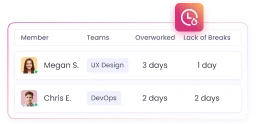
Analyze late-night work, weekend activity, overtime, long work periods without breaks, and overall workload balance.

Priority support
Priority support
Receive accelerated support with quicker resolutions and higher attention.
Enterprise-grade features with custom branding and compliance
Everything in Plus
Unusual activity detection
Unusual activity detection
Spot spikes or irregular patterns that may require review or clarification.
Learn more
AI-powered time categorization
AI-powered work time categorization
Groups time by activity type or tools (coding tools, communication tools, meeting tools, added time, etc).

Automatic time classification
Automatic work time classification
Labels time by productivity level (productive, non-productive, neutral).

Device Compliance Monitoring
NEWDevice Compliance Monitoring
See which devices in your workspace have encryption, antivirus, screen lock and auto updates switched on, and which don’t. Choose the checks that apply to your company.
White label
White label
Customize WebWork with your own branding for a fully professional, client-ready experience.
HIPAA compliance
HIPAA compliance
Work with sensitive data safely with processes aligned to HIPAA security requirements.
Single sign-on (SSO)
Single sign-on (SSO)
Let your team log in securely using your identity provider.
Automatic user provisioning
Automatic user provisioning
Sync member accounts automatically through your identity provider — no manual setup needed.
Premium support
Premium support
Experience elevated support with faster replies and deeper assistance for your team.
Custom Plan
Let’s discuss custom pricing specific to your company’s needs.
Everything in Premium
Feature on demand
Custom API
Concierge account setup
Custom dashboard
Custom reports
If you have a specific requirement or need for a feature we don’t have yet, let us know. Our team might turn it into a reality for you.
Time Tracking
Unlimited time tracking: All plans
Track time without any limits across all projects and tasks.
Automatic clock in/out: All plans
Automatically start and stop tracking based on device activity.
Manual clock in/out: All plans
Start and stop the timer manually from any device.
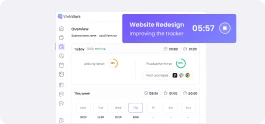
Time tracker desktop software: All plans
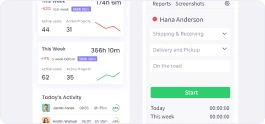
Time tracker mobile apps: All plans
Time tracker for web browser: All plans
Track time from your web dashboard on any modern web browser. Additionally, Chrome browser extension is also available for time tracking.
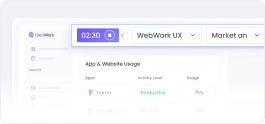
Background/silent tracker: All plans
Run tracking silently on company-owned devices without member interaction.
Kiosk: All plans
Create kiosks, set up a single device, and let your team clock in from there. Personal PINs, break tracking, and real-time status.
Automatic timesheets: All plans
Generate timesheets automatically from tracked time entries.
Timesheet approvals: Plus and Premium
Let managers review and approve employees’ timesheets.
Request time entry: All plans
Allow members to request manual time additions for manager approval.
Add time entry for others: All plans
Let managers add or adjust time entries on behalf of team members.
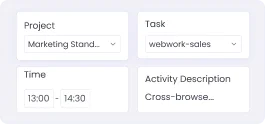
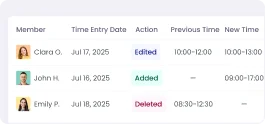
Full time editor (add/edit/split): All plans
Full time editor (add/edit/split)
Add and edit time entries, and split a single tracked session into multiple entries for different tasks or projects.
Time edit logs: Plus and Premium
Offline time tracking: All plans
Track time even when there’s no internet; everything syncs automatically once connected.
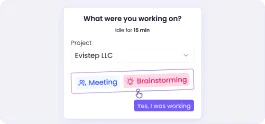
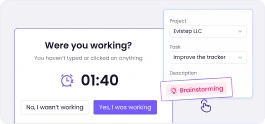
Idle time tracking and reminders: All plans
Idle time tracking and reminders
Detect idle time and remind members when the timer is still running.
Inactivity reminders: All plans
Break tracking: All plans
Overtime tracking: All plans
Calculate overtime automatically based on the set work schedule.
Calendar: All plans
Decimal format: All plans
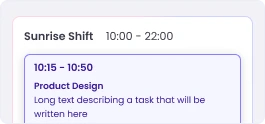
Decimal format
Track and export time in decimal format for easier accounting, payroll, and calculations.
Productivity
Productivity metrics: All plans
Measure productivity using tracked time, activity levels, and app/website usage.
Productivity insights: All plans
Get summarized insights showing productivity trends for individuals and teams.

Categorized work time: All plans

Smart work mode detection: Plus and Premium
Identify the nature of work automatically (deep work, shallow work, meetings, non-working, undefined).
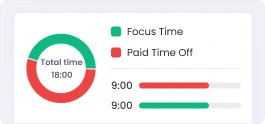
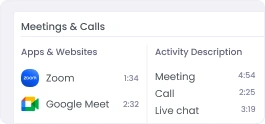
Meeting insights: All plans
Meeting insights
See how much of your team’s workday is spent in meetings versus focused work.
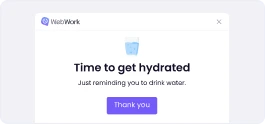
Work-life balance reminders: All plans
Get gentle reminders to maintain a healthier work rhythm throughout the day and week.
Work-life balance report: All plans
Understand your overall work patterns, including after-hours activity, weekends, and workload balance.
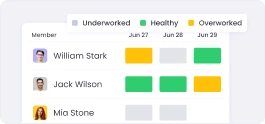
Burnout risk: Plus and Premium
AI-powered work time categorization: Premium only
AI-powered work time categorization
Groups time by activity type or tools (coding tools, communication tools, meeting tools, added time, etc).
Automatic work time classification: Premium only
Automatic work time classification
Labels time by productivity level (productive, non-productive, neutral).
Custom work time classification: All plans
Custom work time classification
Classify the productivity level of apps and websites (productive, non-productive, neutral) at the workspace, team, and job-title levels for more accurate tracking.

Benchmarking: Plus and Premium
Monitoring
Real-time monitoring: All plans
Daily activity monitoring: All plans
View each day’s detailed work timeline with apps, tasks, and activity levels.
Attendance monitoring: All plans
App & website monitoring: All plans
Discover which apps and websites members use and how long they spend on each.

Advanced app and website monitoring: Plus and Premium
Advanced app & website monitoring
Monitor which apps and websites members use and for how long with additional details such as URL and window title.
Activity description: All plans

Activity level tracking: All plans
Activity benchmarking: All plans

WebWork AI assistant
Your AI co-pilot that understands team activity, highlights problems, and provides actionable insights in seconds.
Pro: 10 credits per month
Plus: 25 credits per month
Premium: 50 credits per month
Unusual activity detection: Premium only
Spot spikes or irregular patterns that may require review or clarification.
Screenshots: All plans
Video/live screenshots: Plus and Premium
Capture short video-style snippets instead of static screenshots to show brief moments of member activity.
Screenshot frequency
Choose how often screenshots are taken based on your monitoring needs.
Pro: Up to 3 screenshots every 10 minutes
Plus: Up to 10 screenshots every 10 minutes
Premium: Up to 10 screenshots every 10 minutes
Screenshot data retention
Pro: 3 months
Plus: 1 year
Premium: 1 year
Pro: 3 months
Plus: 1 year
Premium: 1 year
Category-based screenshot blurring: Plus and Premium
Category-based screenshot blurring
Automatically blur screenshots for apps and websites marked as private.

Download screenshots
Download screenshots individually or in bulk.
Pro: Single date selection
Plus: Date range selection
Premium: Date range selection
Remote work detection: All plans
Remote work detection
Identify whether members are working from office networks or remote locations.
Geolocation tracking: All plans
See approximate member location while tracking to verify remote and field work.
Geofencing / Job sites: Plus and Premium
GPS-based geofencing automatically starts tracking when employees enter the job site area.
Late coming monitoring & alerts: All plans

Advanced work life balance metrics: Plus and Premium
Advanced work life balance metrics
Analyze late-night work, weekend activity, overtime, long work periods without breaks, and overall workload balance.
Team Management
Unlimited members and teams: All plans
Unlimited members and teams
Add unlimited members and create as many teams as needed.
5 member types: All plans
Control access with five predefined permission levels.
Onboarding status: All plans
Onboarding status
Track each member’s setup and onboarding progress.

Shift scheduling: Plus and Premium
Leave management: All plans

PTO & vacation tracking: All plans
PTO & vacation tracking
Track paid time off, vacation days, accruals, and remaining balances automatically.
Holiday management: All plans

Leaderboards: Plus and Premium
Announcements: All plans

Project viewers
Give members read-only access to selected projects and reports.
Pro: 1
Plus: Unlimited
Premium: Unlimited
Asset management: Plus and Premium
A centralized registry for tracking company assets like hardware, software, subscriptions, or any custom type.
Project Management
Unlimited projects: All plans
Project groups: All plans
Organize projects effortlessly and keep even the biggest operations clean and structured.

Import projects: All plans
Import projects
Bring your existing work from other tools into WebWork in minutes and get started instantly.
Contracts & Rate Management: All plans
Contracts & Rate Management
Set bill rates, pay rates, limits, and contract rules for every team member.
Task management: All plans
Plan, assign, and track tasks end-to-end with a workflow your team will actually follow.
Custom task statuses: All plans
Create custom task statuses to build workflows that match exactly how your team works.

Custom fields for tasks and projects: Plus and Premium
Custom fields for tasks and projects
Add and track additional project and task data that fits your workflow.

Standups: All plans

Collaboration & Communication
Video meetings: Plus and Premium
Chatbot: All plans
Get instant answers, automated reminders, and smart suggestions from the built-in AI assistant.

Chat: All plans

Chat and file history
Pro: 30 days
Plus: Unlimited history and files
Premium: Unlimited history and files
Pro: 30 days
Plus: Unlimited
Premium: Unlimited
Reporting
10+ exportable reports: All plans
Tracked hours: All plans

Timeline: All plans

App & website usage: All plans
Understand how time is spent online with detailed app and website usage reporting.
Activity level report: All plans
View keyboard and mouse activity trends to spot focus, productivity, and work rhythm.

Task report: All plans

Finance report: All plans
See labor costs, billable amounts, budgets, and earnings all in one place.
Office vs remote analysis: All plans
Compare office vs remote work patterns with clear insights into work locations.

Trends reporting: All plans
Spot weekly and monthly trends in productivity, hours, and team performance.
Custom charts & visualizations: All plans

Profitability report: All plans
See project profitability at a glance with accurate cost and revenue comparison.
Labour costs: All plans
Track real labor cost per project, team, or member automatically.
Multi-year range: All plans
Analyze data across multiple years to identify long-term trends and improvements.
Share reports: Plus and Premium
Share reports with stakeholders so everyone stays aligned.
Export reports: All plans
Download any report in multiple formats — shareable, printable, and audit-ready.
Schedule reports: Plus and Premium
Automate recurring reports delivered straight to your inbox on your schedule.
Unified reporting: Plus and Premium

Branded reports: Plus and Premium
Send reports with your company branding for a polished, professional look.
Finance
Billable hours: All plans
Track billable hours automatically.
Billable rates: All plans
Set flexible billable rates per member, task, or project to match your pricing model.
Create and share invoices: All plans
Payable invoices: Plus and Premium
Send invoices your clients can pay directly with a pay button inside the invoice.
Remove branding from invoices: Plus and Premium
Send invoices without WebWork branding for a cleaner client experience.
Payroll: Plus and Premium
Send payment: Plus and Premium
Payment integrations: All plans
Pay your team using Stripe (bank cards), PayPal, Wise, Payoneer, Bitwage, and Gusto.
Expense tracking: Plus and Premium
Project budgeting: Plus and Premium
Multiple currencies: All plans
Track time, expenses, and invoices in multiple currencies for global teams and clients.
Historic rates: Plus and Premium

Compliance & Security
Device Compliance Monitoring: Premium only
Device Compliance Monitoring
See which devices in your workspace have encryption, antivirus, screen lock and auto updates switched on, and which don’t. Choose the checks that apply to your company.
Audit log: Plus and Premium
See the full history of actions taken in the workspace by each member.
Two-factor authentication: All plans
Two-factor authentication
Protect accounts with an extra layer of security using easy two-step verification.
Single sign-on (SSO): Premium only
Let your team log in securely using your identity provider.
Automatic user provisioning: Premium only
Sync member accounts automatically through your identity provider — no manual setup needed.
HIPAA compliance: Premium only
Work with sensitive data safely with processes aligned to HIPAA security requirements.
Enterprise-grade compliance & SLA support: All plans
Enterprise-grade compliance & SLA support
Stay protected with robust compliance, strict security policies, and dedicated SLA-backed support.
Customer Support
Knowledge base (AI): All plans
Knowledge base (AI)
The AI assistant answers all your questions based on the information in our knowledge base.

Ticket portal: All plans
Ticket portal
Submit and track support tickets easily.

Live chat support: All plans
Live chat support
Get real-time help from our support team directly inside the app.
Email support: All plans
Email support
Reach our support team anytime by email for reliable answers.
Priority support: Plus and Premium
Receive accelerated support with quicker resolutions and higher attention.
Onboarding support: Plus and Premium
Onboarding support
Get guided help setting up your workspace, teams, and workflows.
Premium support: Premium only
Premium support
Experience elevated support with faster replies and deeper assistance for your team.
Concierge account setup: Premium only
Concierge account setup
Let our team fully set up your account, workflows, and integrations for you.
Dedicated success manager: Premium only
Dedicated success manager
Work with a personal success manager focused on helping your team succeed.
Other
Integrations
Instantly connect WebWork to your favorite tools — no coding, just seamless integration.
Pro: 1 Integration
Plus: Unlimited
Premium: Unlimited
Public API: All plans
Build custom workflows and integrate WebWork deeply into your systems using the full REST API and Webhooks
MCP Connector: All plans
Connect WebWork to AI assistants and automation tools through the Model Context Protocol, giving them direct access to your workspace data and actions.
White label: Premium only
Customize WebWork with your own branding for a fully professional, client-ready experience.
Multilingual interface: All plans
Multilingual interface
Work in your preferred language with a platform that supports a multilingual interface for global teams.
Daily & weekly summary emails: All plans
Automatic email summaries of tracked time, activity, and productivity.
Optional Add-Ons
Enhance your current plan by enabling add-ons.
Payments & Payroll
$1.5 per user/mo
- Built-in payroll
- Send payment
- Payable invoices
- Payouts
- Expense tracking
White Label
$1 per user/mo
- Custom look of workspace
- Your brand colors
- Your logo
- Custom URL
Smart Monitoring
$2.5 per user/mo
- Daily AI analysis of member activity
- Flags concerning performance
- Short daily summaries
Device Compliance Monitoring
$1 per user/mo
- Device security checks
- Workspace compliance rate
- Per-device pass and fail
- Choose which checks apply
- Convert device to asset
Fuel Your Team with Productivity
Teams of all sizes benefit from WebWork. Whether you have a growing team or a large enterprise, we will help you select the time tracking software pricing plan that suits your needs best.
Book a Demo

How does WebWork combine budget-friendly time tracking with high quality?
At WebWork, we believe that quality shouldn’t be sacrificed for affordability. Our time tracking software pricing is structured to ensure that even teams on a tight budget can access our comprehensive tools. By optimizing our development processes, we're able to offer cheap time tracking software without compromising on the essential features that our users depend on.
This approach allows us to provide a cheap time tracker that is both powerful and easy to use, ensuring that all businesses, regardless of size, can achieve better time management and increased productivity.

Our Customers Are Happy and Productive
WebWork is known for offering the most optimal time tracker pricing with exceptional value. Take our customers’ word for it.
Effortless Time Tracking for Projects
WebWork Time Tracker helps me correctly track the time I dedicate to projects. It saves me time as I don’t need to spend a lot typing things in, and editing entries is very easy.

Productive and Organised While Working Remotely
I use WebWork Time Tracker to track my work hours and tasks, which helps me stay productive and manage time efficiently, especially when working remotely.

Automatic Tracking That Keeps the Team in Sync
WebWork Time Tracker helps me communicate with my team by showing them when I’m working. It’s convenient and operates in the background, so there’s no need to manually inform my manager or record my screen. It automates everything, which is really awesome.

35,000+ people signed up last month
Trusted and Loved by Companies Worldwide


FAQs


Experience Budget-Friendly Time Tracking in Your Team Now
Start 14-Day Free TrialNo credit card | Cancel anytime